

How to create a QR-bill: a step-by-step guide for Swiss SMEs
Creating a QR-bill in Switzerland: what goes on the payment part, QR-IBAN or IBAN, which reference to use and how payments are matched automatically.
Contents
Since the orange and red payment slips were retired, Switzerland only has the QR-bill. For many sole proprietors that means: a Word template, an online generator for the payment part, and some glue between the two. It works until the first payment arrives and nobody knows which invoice it belongs to.
This article shows what a correct QR-bill contains and how to create it so that incoming payments are matched by themselves later on.
What is the QR-bill?
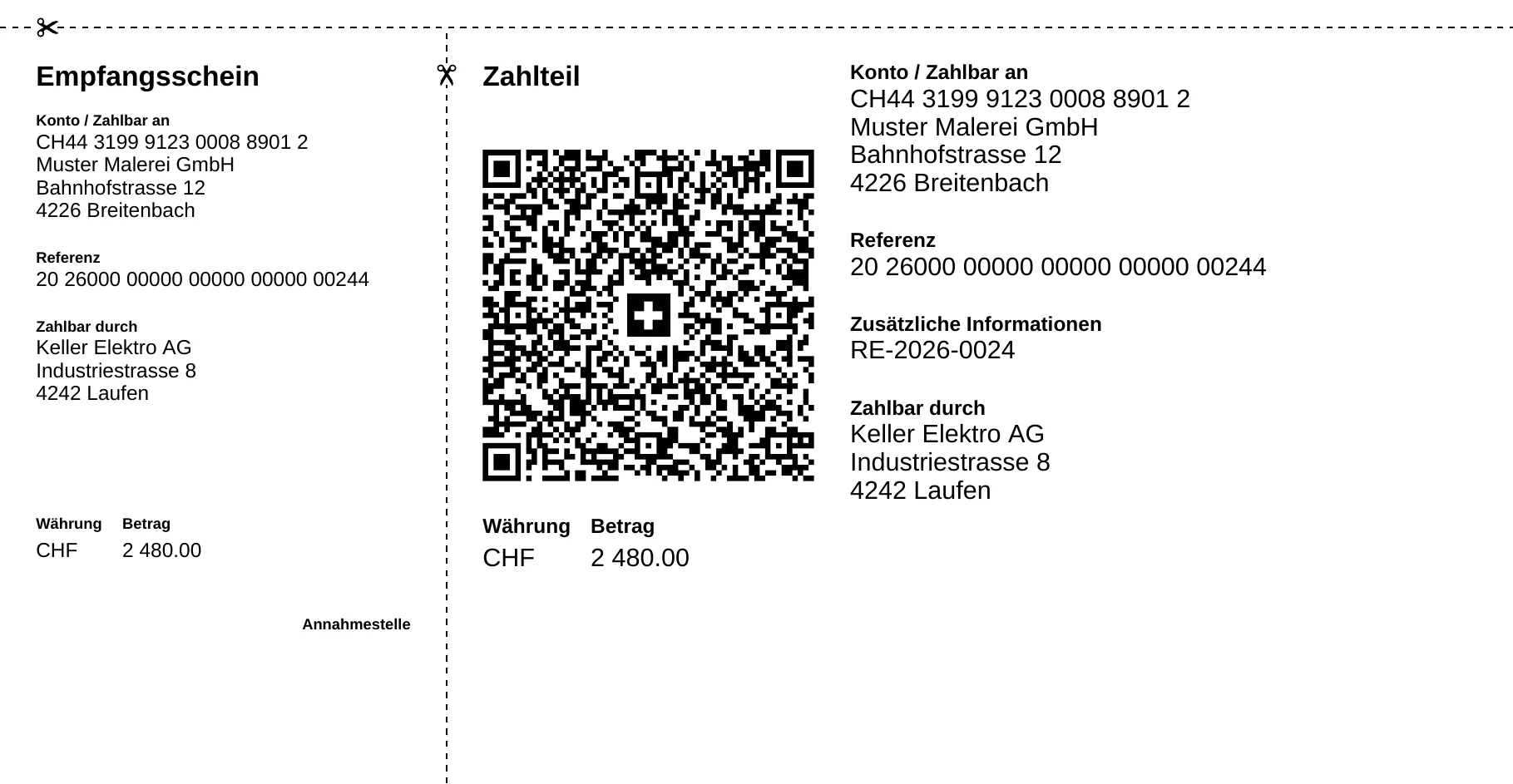
The QR-bill consists of your normal invoice plus a standardised payment part with a receipt. The payment part carries a Swiss QR Code with all payment details: account, amount, currency, creditor, debtor and reference. Your customer scans it with their banking app, checks it and pays. No retyping, no typos in the IBAN.
The standard is defined by SIX in its implementation guidelines. Which fields the QR code holds and which reference types exist is explained in detail in QR bills: understanding references, posting automatically.
What you need
- An IBAN or a QR-IBAN. Your bank provides the QR-IBAN. It is meant for payments with a QR reference and pays off as soon as you want to reconcile payments automatically.
- A reference. With a QR-IBAN, the 27-digit QR reference is mandatory. With a normal IBAN you can use the ISO 11649 creditor reference (starting with “RF”). Without a reference you match every payment by hand. The IBAN and QR reference checker shows whether IBAN and reference are valid.
- Structured addresses. Since 21 November 2025, only structured addresses are allowed in the QR code: street, house number, postcode and town in separate fields. Banks accept bills with combined address lines only for a transition period.
- The amount in CHF or EUR. It may also be left blank, for example for donations.
Step by step in Saldio
- Store your payment details once. Enter IBAN and QR-IBAN in the settings under Bank details. If a QR-IBAN is stored, Saldio creates invoices with a QR reference.
- Create the customer. Street and house number, postcode and town are separate fields in Saldio, so the address is structured from the start.
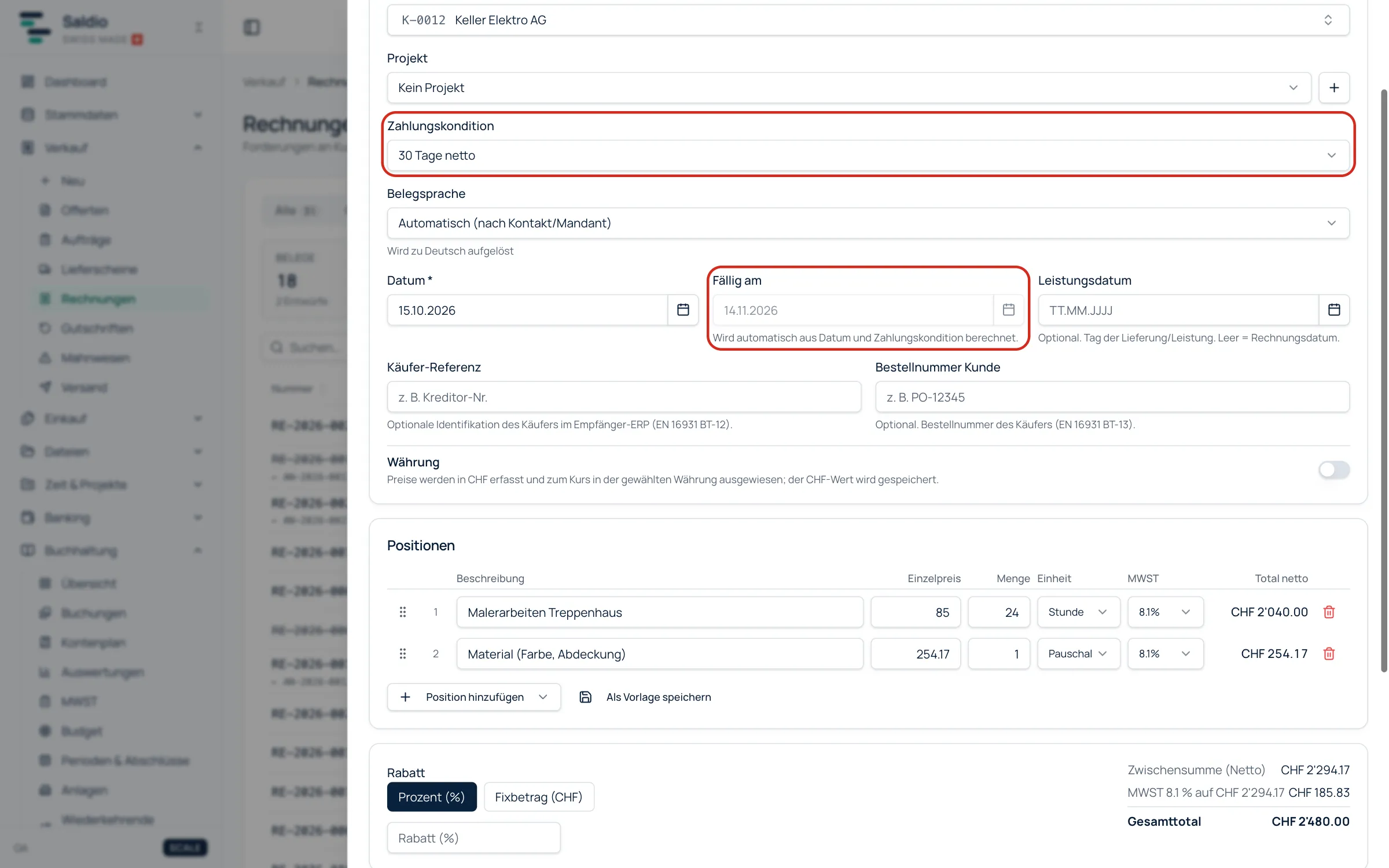
- Enter the invoice or take it over from the quote. Line items, VAT rate, payment terms. Saldio calculates the due date from the invoice date and the payment terms. If there was a quote, one click copies all line items.
- Issue and send. When issuing, Saldio posts the invoice, assigns the reference and archives the PDF with payment part so that it can no longer be changed. The invoice then shows as “Sent” in the list.
- Reconcile the payment. Upload the bank statement as CAMT.053. If reference and amount match exactly, Saldio assigns the payment to the invoice and posts it automatically.
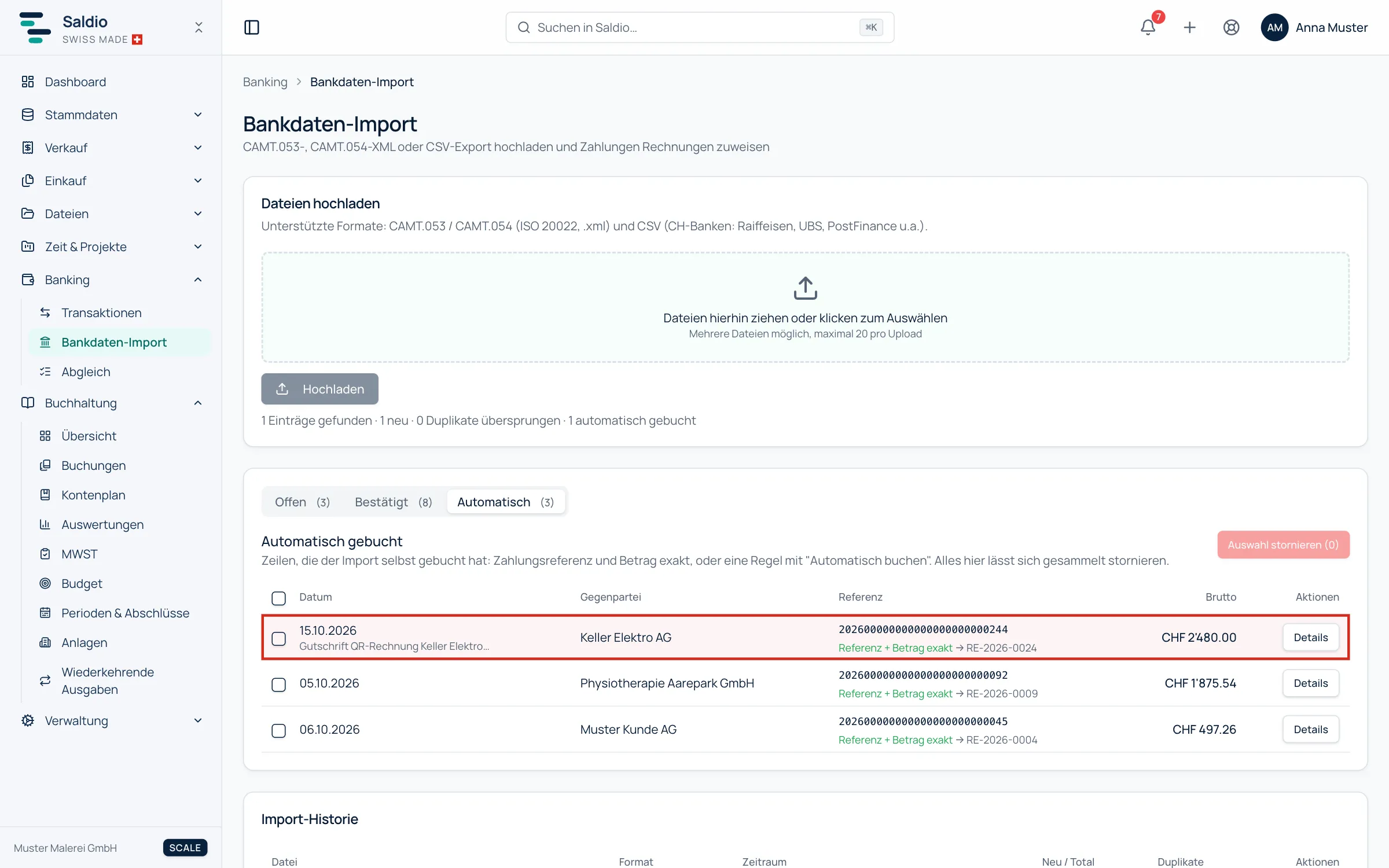
How matching works in detail and what happens with partial payments is covered in the article on CAMT import.
The three most common mistakes
- QR-IBAN without QR reference. The combination is invalid and the bank rejects the payment. The reverse applies too: a QR reference only works with a QR-IBAN.
- Payment part too small or cut off. The payment part has a fixed format (A6 landscape) and needs perforation or a cutting line with a scissors symbol on printed invoices.
- The same reference on every invoice. Then reconciliation stays manual work. The reference must be unique per invoice.
Conclusion
Creating a QR-bill is easy. The real gain comes afterwards: when invoice, reference and bank statement live in the same system, incoming payments are posted in seconds. The sales features show how the pieces fit together. Try Saldio free for 7 days, no payment method required, then from CHF 15 per month according to our pricing.
Frequently asked questions
- Do I need a QR-IBAN?
- No. The QR-bill also works with a normal IBAN and an optional RF reference. A QR-IBAN with QR reference makes automatic reconciliation more reliable, though.
- Can I send the QR-bill by email?
- Yes, as a PDF. The payment part does not need to be printed, your customer scans it straight from the screen.
- What does a QR-IBAN cost?
- At many banks nothing or very little. Ask your bank, the QR-IBAN belongs to your existing account.
- Are combined addresses still allowed?
- Not for new invoices. Since 21 November 2025, the Swiss QR Code expects structured addresses with street, house number, postcode and town in separate fields. Bills with combined addresses are only paid for a transition period.
Sources
- SIX: QR-bill — Official standard page with implementation guidelines.
- UBS: Structured addresses — Switch to structured addresses in QR-bills and payments.
- PostFinance: Important changes in payment transactions — Deadlines for unstructured addresses.