

From Excel to accounting software: when switching pays off
When does switching from Excel to accounting software pay off? Five clear signs, what the switch really costs and how to do it without losing data.
Contents
Saldio exists because I was in this situation myself. As a sole proprietor with fluctuating revenue, I paid the same amount for my accounting software every month, no matter whether the month went well or badly. I switched to a cheaper solution, and suddenly there was an Excel file next to it again: for open invoices, for the budget, for checking VAT. Nobody wanted to maintain it, and yet everything depended on it.
Excel is not the problem. Excel is an excellent tool for calculating. It just isn’t a tool that remembers what happened. And that is exactly what bookkeeping needs.
Five signs Excel is no longer enough
- You go looking for payments. Money comes in and you don’t immediately know which invoice it belongs to.
- You enter the same figure several times. Once in the invoice, once in the list, once in the VAT sheet.
- The VAT return takes a whole day. Because you have to look at every receipt again.
- Only you understand the file. If you are out, the bookkeeping stops.
- Your fiduciary sends it back. Or bills you for the hours it takes to clean it up.
If two of these sound familiar, the spreadsheet costs you more time than it saves.
What the switch really costs
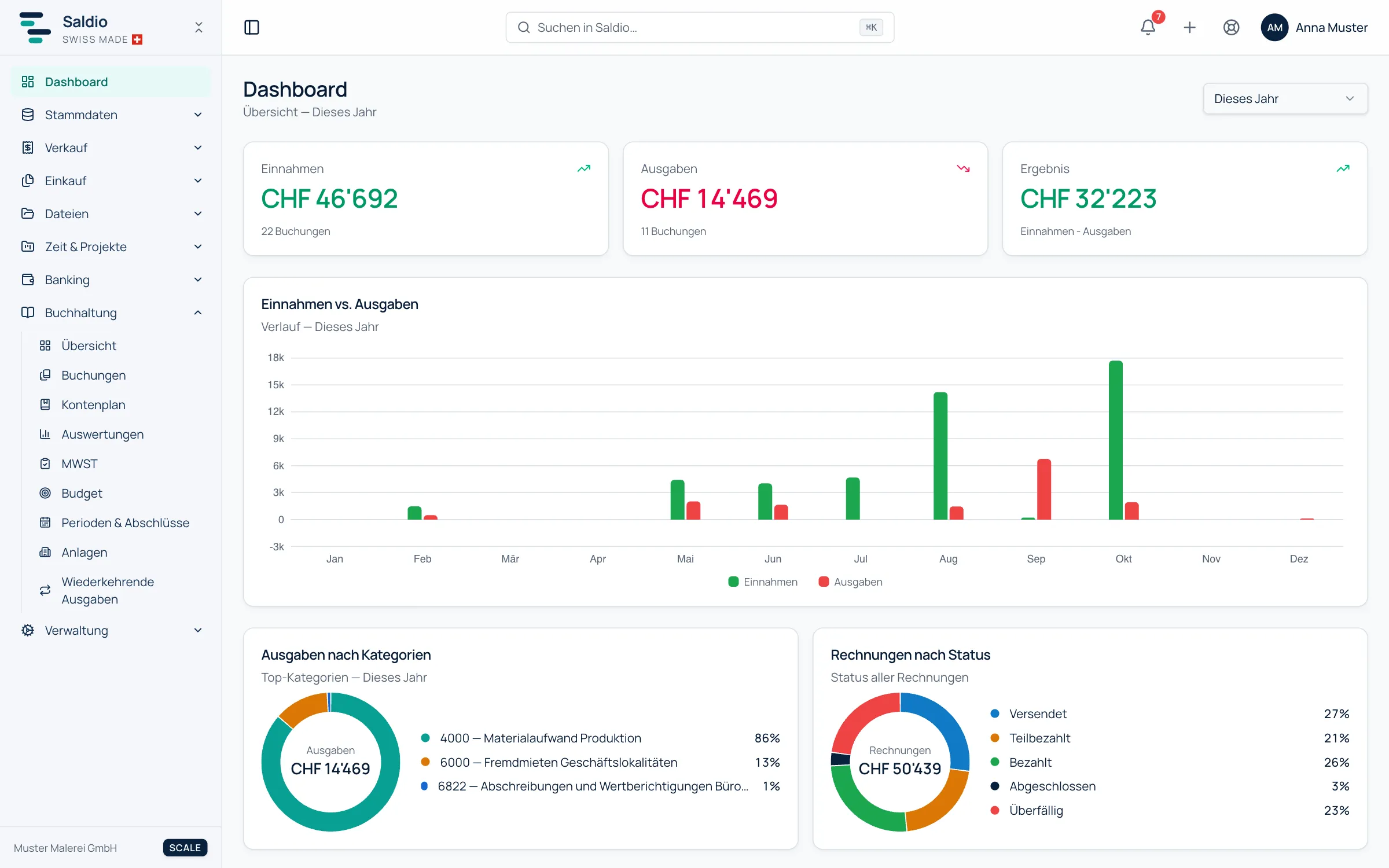
The software itself is rarely the big item. Saldio starts at CHF 5 per month for bookkeeping only, CHF 15 with invoicing, the plans are listed on the pricing page. The larger effort is a one-off: taking over customers, suppliers, chart of accounts and opening balances. Expect half a day to a day if your data is reasonably clean.
On the other side is the time you save every month on matching and searching. If you issue invoices with a QR reference and import the bank statement, you no longer have to hunt for payments. The article How to create a QR-bill shows how.
The best time to switch
The easiest moment is the start of a financial year or a VAT period. You start with clean opening balances and don’t have to catch up on half a period. If you decide now in autumn, you have enough time for a test run before 1 January.
How to go about it
- Test while the old solution is still running. Enter a few real invoices in parallel.
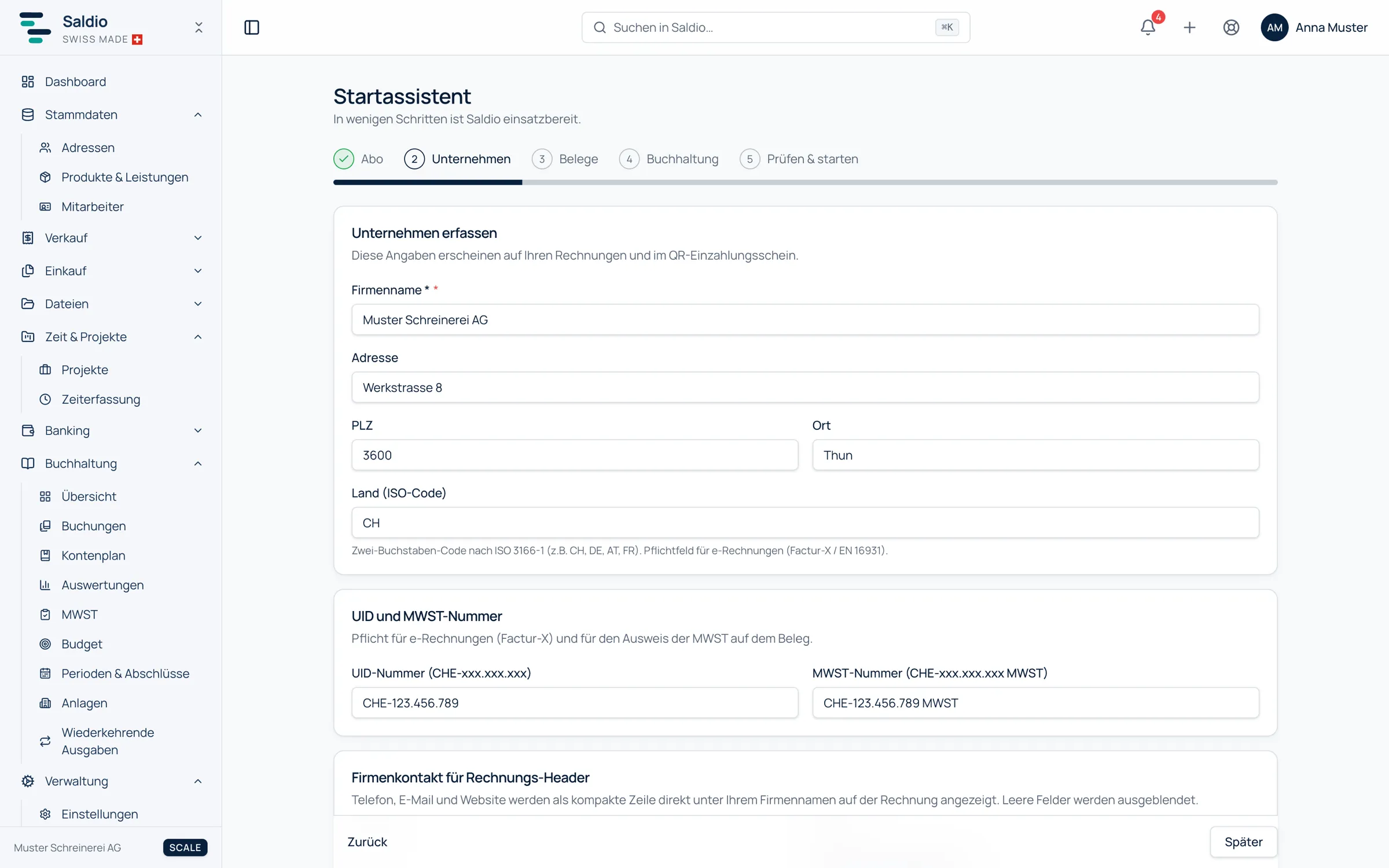
- Choose a chart of accounts. The setup wizard creates the chart of accounts based on legal form, industry and scope: around 20 accounts for the essentials or the full Swiss SME chart of accounts. Accounts you don’t need can be set to inactive.
- Import master data. Import customers and suppliers as CSV from your Excel list, Saldio validates the data on import.
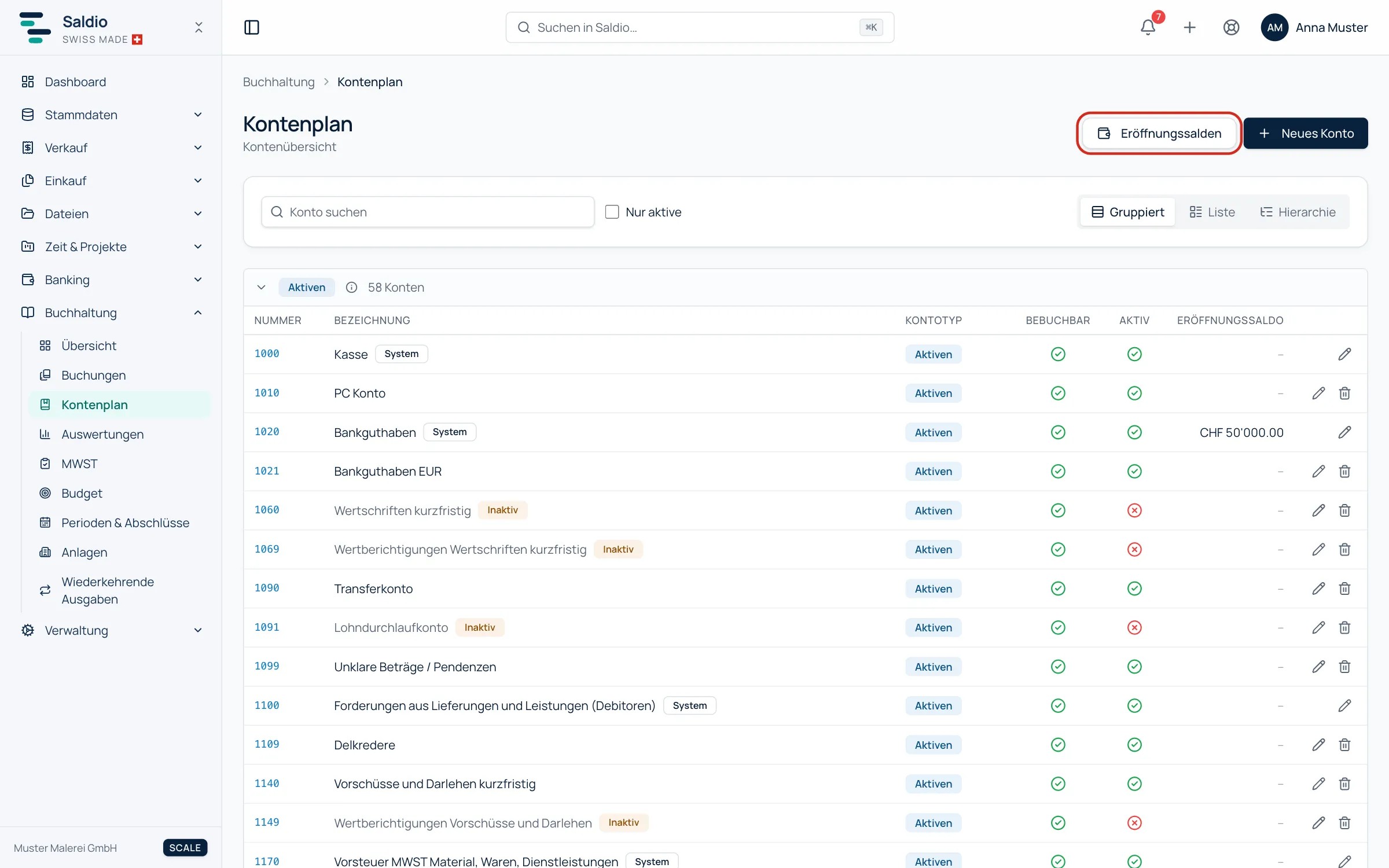
- Enter opening balances. From the last balance sheet, including open receivables and payables. Take over fixed assets at their residual value, as described in Taking over fixed assets cleanly.
- Archive the Excel file. Don’t delete it. The ten-year retention obligation also applies to the old file.
Conclusion
If two of the five signs sound familiar, it’s time to switch. Not because Excel is bad, but because you need your time for your customers. The accounting features show what Saldio covers. Try Saldio with all features for 7 days.
Frequently asked questions
- Can a sole proprietorship keep its books in Excel?
- Yes. Sole proprietorships with less than CHF 500,000 in revenue in the last financial year may keep simplified accounts of income, expenses and financial position. You still have to keep the receipts for ten years.
- Will I lose my old data?
- No. You take over the opening balances and archive the old file. The history stays traceable in Excel.
- Can I leave at any time?
- Yes. Saldio can be cancelled monthly and you can download your data as a backup at any time.
Sources
- Swiss Code of Obligations, Art. 957 (fedlex) — Duty to keep accounts and exemption for small sole proprietorships.
- Swiss Code of Obligations, Art. 958f (fedlex) — Ten-year retention of business records.