

How PDF, QR, and E-Invoices Are Imported in Saldio
Upload documents, run recognition, book as drafts: how import works in Saldio – three recognition stages (e-invoice, Swiss QR, AI) and twelve checks.
Contents
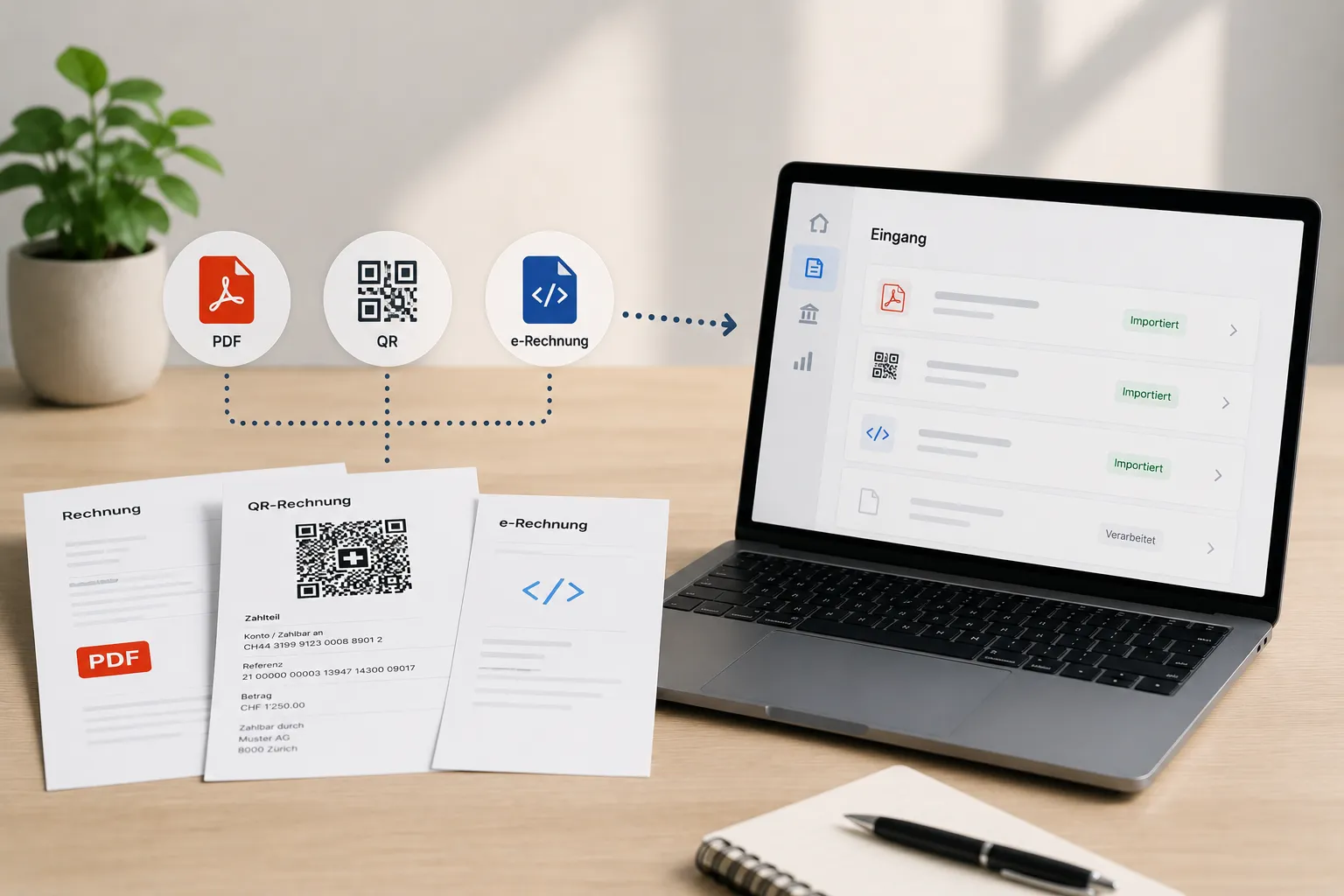
At month-end the pile is there: eleven QR bills as PDFs, an e-invoice from a German supplier, a phone photo of a till receipt and a cloud provider’s invoice in dollars. Four formats, one goal — everything should end up as a supplier invoice in the system, with supplier, amounts, VAT and expense account.
Retyping fifteen documents takes an hour. A tool that forces every document into its own dialog is hardly faster.
Document import in Saldio therefore works in batches: upload, run recognition on the whole set, review what needs reviewing, and take over the rest in one step. This article walks through the process.
The entry point: the upload center
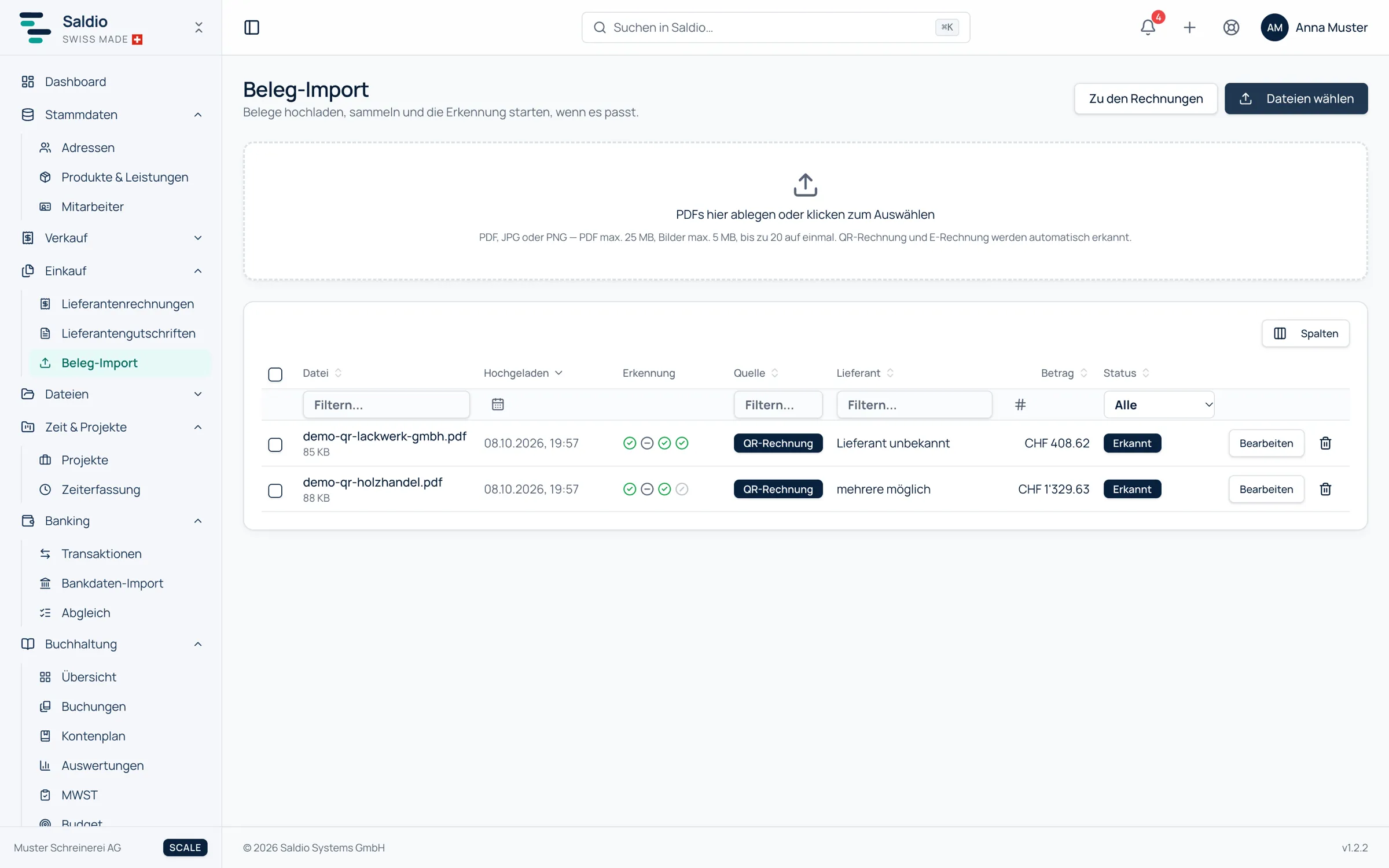
The import lives under Purchasing → Document import. The upload center accepts documents by drag and drop or via Choose files:
- PDF up to 25 MB, JPG and PNG up to 5 MB
- up to 20 files per batch
Uploading does not start anything yet. The documents sit in a list with the status Ready to start — even after switching pages or restarting the browser, for up to seven days. Only Start recognition sets them going, individually, for a selection or for all. That is deliberate: if you drop twenty files, you should see the list first and be able to discard a wrong file before anything is read.
Recognition runs on the server. You can leave the page and come back later.
Three recognition stages in a fixed order
Every document goes through the same chain. The order is fixed, and each stage only fills what the previous one did not deliver:
| Stage | What it reads | When it runs | Quota |
|---|---|---|---|
| E-invoice | embedded XML following Factur-X, ZUGFeRD or XRechnung | always first, PDFs only | no |
| QR invoice | Swiss QR code in the payment part — also from a photo | if no e-invoice XML was found | no |
| AI recognition | the document as a whole | only if invoice number, date, total, VAT amount or supplier are still missing | yes, one request per document |
The first two stages read exactly: a field in the XML or the QR code is either there or it is not. How that works in detail and which fields arrive is covered in Reading Supplier Invoices Automatically – Without AI.
The AI stage is there for the rest: scans, till receipts with mixed VAT rates, foreign invoices without a QR code. It reads header data, the supplier with address, UID and IBAN, line items with VAT rate, discount and surcharge lines, and recognises whether prices include VAT. It reads digital PDFs up to twelve pages and scans up to four; if a document is cut off, Saldio says so.
Two rules keep the stages clean. The AI never overwrites an exactly read value — a payment reference from the QR code stays what it is. And whatever the AI contributed is listed field by field on the document.
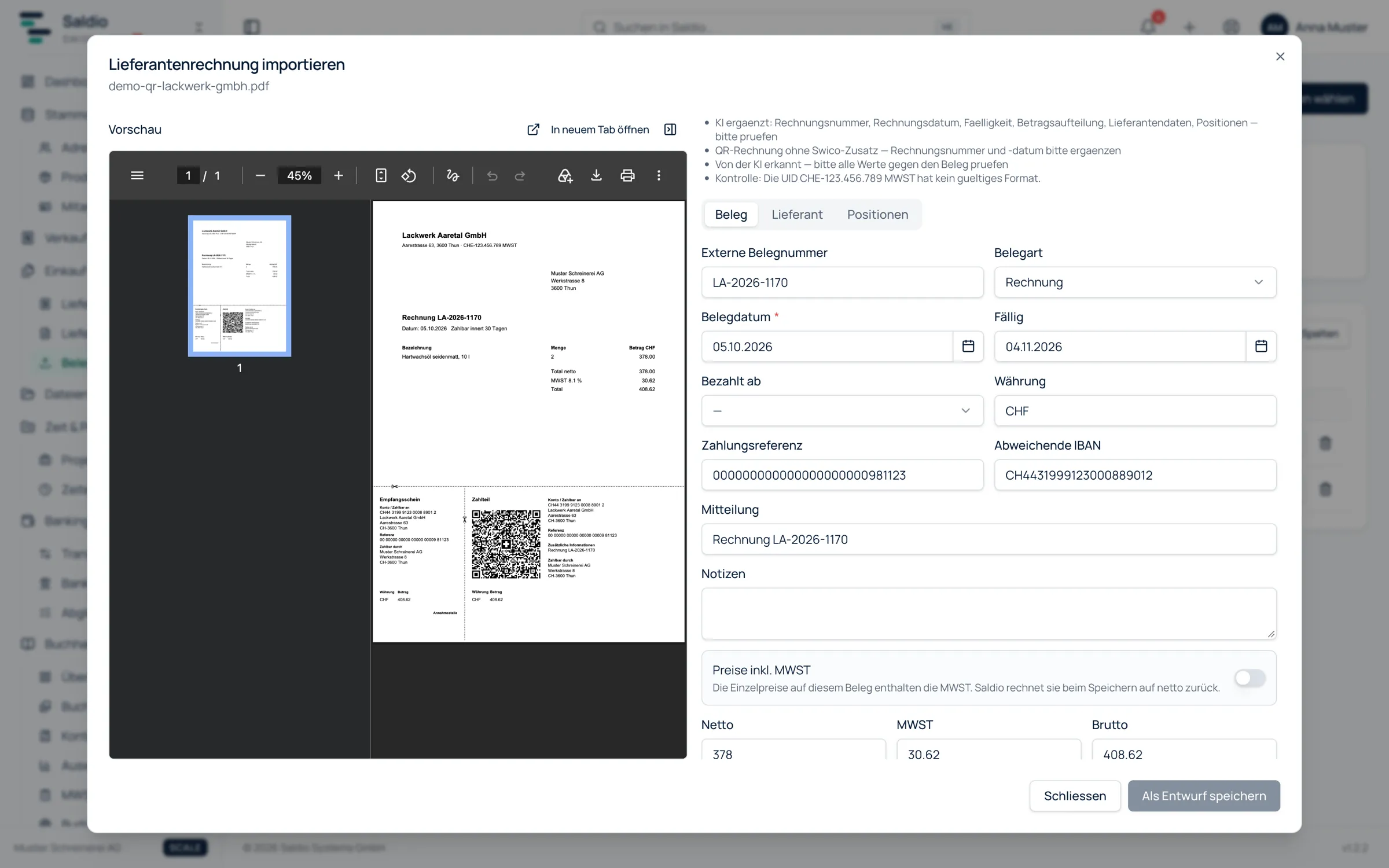
A typical case: a Swiss QR bill without the optional Swico add-on. The QR code delivers IBAN, reference, amount and the biller exactly, but no invoice number and no invoice date. The stage display then shows QR invoice: recognised and AI recognition: gaps filled in. If a document has everything, the AI line says skipped — not needed, invoice complete, and no quota is used.
Twelve checks after every recognition
Read is not checked. After every recognition, twelve deterministic document checks run — calculating, not guessing:
- Totals: line item total against net, net plus VAT against gross, VAT per rate group
- Check digits and formats: IBAN, QR reference, RF reference, UID format
- Dates: due date before the invoice date, date in the future, invoice date in a locked period
- Plausibility: franc document with a foreign IBAN, amount orders of magnitude away from this supplier’s usual amount
A finding is flagged on the document. It corrects nothing, but it keeps the document out of batch booking until someone has looked at it. The forgotten decimal point that turned CHF 124.50 into CHF 12,450.00 does not slip quietly into expenses.
Supplier and expense account
For every document Saldio suggests the supplier and states the reason: IBAN matches, VAT number matches, UID number matches or Name similarity. If the supplier is new, it can be created straight from the document data. How that works in detail and how Saldio prevents duplicates is shown in the article on supplier management.
Saldio also suggests the expense account per line item — first from earlier documents of the same supplier with the same or a similar description, otherwise the account this supplier is booked to most often, otherwise from the line text and the chart of accounts. On a tie Saldio suggests nothing, and an account outside your own chart of accounts never makes it into a suggestion. The account suggestion requires the Accounting plan feature.
The entry form
Edit opens a document in the entry form. On the left are the fields in three tabs — Invoice, Supplier, Positions — on the right the preview of the original. AI values are visibly marked as suggestions, with a note to check amount, date and supplier against the document.
Three situations come up often here:
- Line items and document total differ. The line item total is always what gets booked. If it does not match the document amount, Collapse into one line item merges everything into a single summary line; Saldio derives its VAT rate from the document’s net and VAT.
- Prices including VAT. The Prices include VAT switch converts the unit prices back to net on save.
- Already paid. If the document was paid by card, Twint or cash, it is marked as Already paid with the money account. Saldio then books expense and input VAT directly against the money account, without an open item.
If the same supplier already has an invoice with the same number, Saldio asks before saving.
Book unambiguous
For the normal case you do not need the form at all. Book unambiguous takes all selected documents that have an unambiguous supplier and no check finding, and creates them as drafts. Whatever is left — supplier unknown, several possible, check finding — gets reviewed individually.
The drafts then appear under Purchasing → Supplier invoices, where they can be selected and booked together with Release. Only then is the entry on expense, input VAT and accounts payable created. The Reconcile page in Banking also lists recognised but unbooked documents and drafts, so nothing is forgotten in the upload center.
Booked documents leave the upload center immediately; the scan stays attached to the document permanently. Rows that were started but abandoned are cleared after 24 hours, unstarted ones after seven days.
What happens to the document
For the AI stage, the document is sent to an external AI service, with the instruction to store nothing and use nothing for training. For the account suggestion only line texts, supplier name, chart of accounts and the accounts previously used with that supplier leave the system — no balances, no entries. If you do not want that, switch off the AI features under Settings → Integrations; e-invoice and QR code are still read.
What Saldio learns, it learns deterministically from your own data: account assignment from booked documents, a supplier’s IBAN as a payment connection. Under Administration → Document recognition, statistics per field and source show how often a recognised value was confirmed or corrected — only counters are stored, no amounts and no names.
What Saldio deliberately does not do
- No booking without confirmation. The import creates drafts. Booking only happens on release.
- No overwriting of exact values. The AI never replaces what came from XML or the QR code.
- No batch booking with findings. Documents with a check finding, or with an unknown or ambiguous supplier, stay behind.
- No email inbox. Documents enter the system by upload, not through a dedicated mailbox.
- No cross-tenant learning. Account assignment and supplier recognition only learn from your own tenant’s data.
Conclusion
Document import in Saldio is built for batches, not single dialogs. Exact sources come first, the AI only fills gaps, and twelve checks decide what may pass without a look. The actual routine is short: upload, start recognition, Book unambiguous, release the drafts, look at the rest individually.
What happens to the payment afterwards — pain.001 file, bank statement, matching — is covered in the articles on QR bills and bank reconciliation.
From order to balance.