

How Payment Reminders Work in Saldio
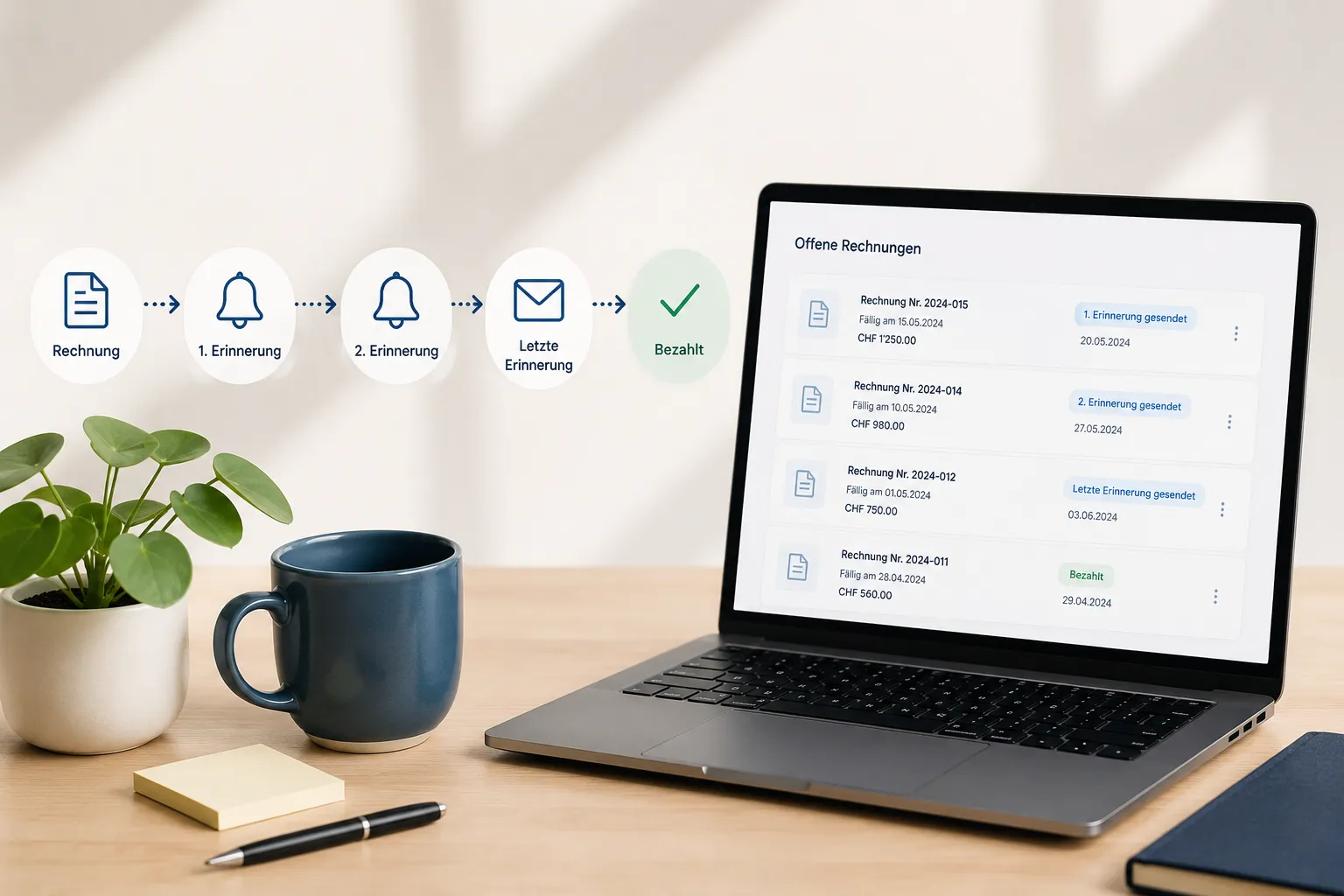
Payment terms, cash discount, online link and a friendly first dunning stage: what Saldio does to get invoices paid on time – without a threatening tone.
Contents
Most invoices that are paid late are not disputed. They are forgotten. The email got lost in the inbox, the customer’s accountant was on holiday, or the PDF sits unopened in a folder.
These cases need no reminder fee and no sharp tone. They need a clear deadline, an easy way to pay and — if that still does not work — a friendly reminder that does not sound like the first step towards debt enforcement.
This article shows what Saldio does before and around the first dunning stage: payment terms, due date, cash discount, online link and a first reminder that is more nudge than demand. What comes after — second and third stage, fees, bulk sending — is covered in the article on dunning management.
The best reminder is a clear deadline
An invoice without a clear due date invites people to leave it lying around. In Saldio the due date is therefore not entered by hand but derived from payment terms.
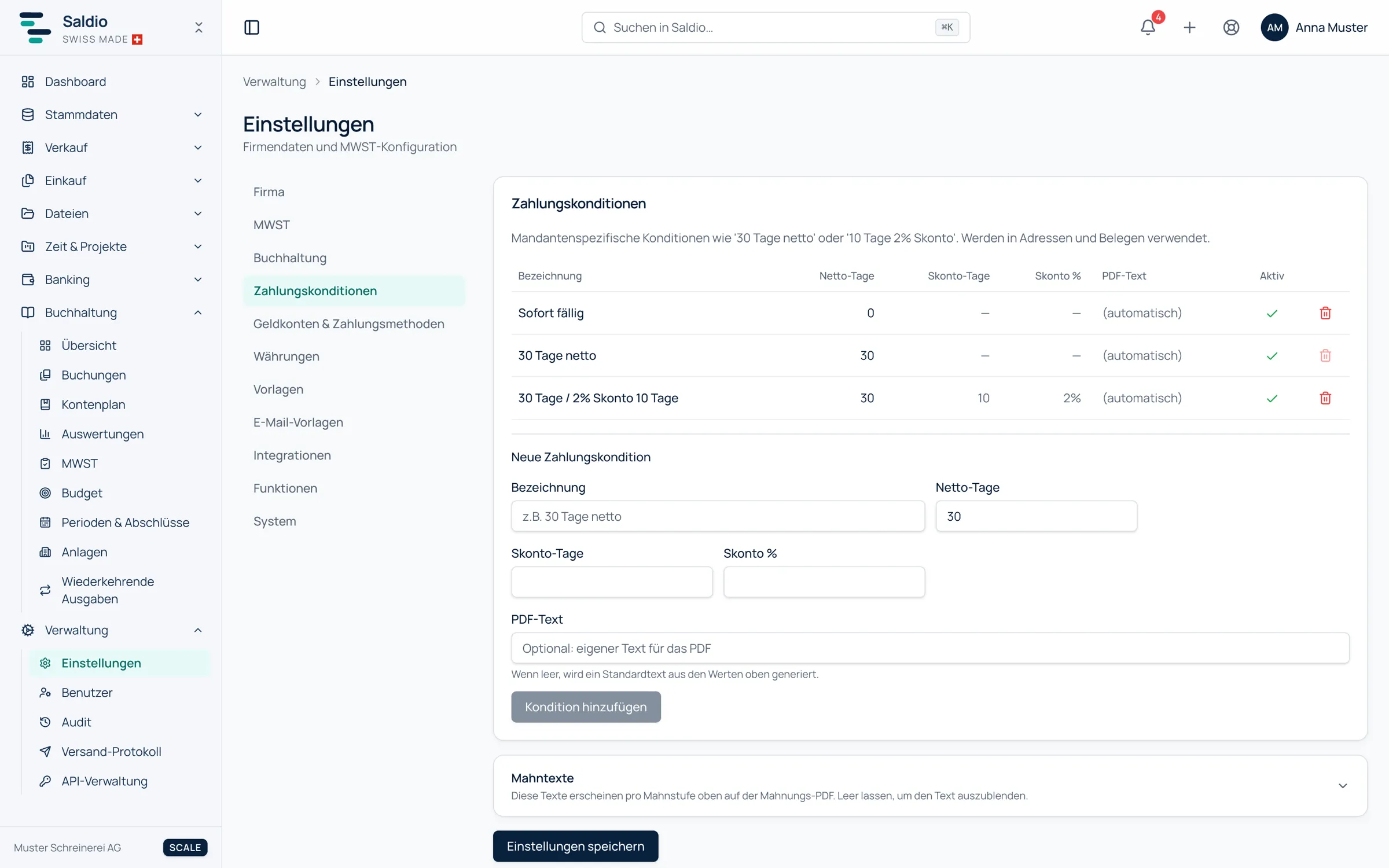
Payment terms are set up under Settings → Payment terms. Each has:
- a Label, such as “30 days net” or “10 days 2% discount”
- Net days — the payment period from the invoice date
- Discount days and Discount % — optional, for a deduction on early payment
- a PDF text — leave it empty and Saldio words it from the values; or write your own
Which terms appear on a new document follows a cascade: if the contact has its own default payment terms, those apply. Otherwise the company’s default payment terms from the company settings take over. They can be overridden on the document itself, and the due date is calculated automatically from date and payment terms.
If payment terms are deleted later, existing documents stay unchanged. They keep the text that applied when they were created.
Cash discount: an incentive, not a maths problem
A cash discount is the friendliest remedy for late payment — if it is visible on the document. If an invoice carries terms with a discount, Saldio shows the discount amount and the cut-off date directly on the invoice.
An example: invoice dated 01.10.2026 for CHF 1,200.00, terms “10 days 2% discount, 30 days net”.
| Date | Amount | |
|---|---|---|
| Payment with discount by | 11.10.2026 | CHF 1,176.00 |
| Due net | 31.10.2026 | CHF 1,200.00 |
It gets interesting when the payment comes in. If the customer pays CHF 1,176.00 within the period, bank reconciliation recognises the difference as a cash discount because period and percentage match the terms. The posting is prefilled, and the invoice is then considered fully settled — not partially paid with CHF 24.00 left over that someone would chase later.
The invoice itself makes it easy
A large share of late payments resolves itself when paying is no effort. Every invoice in CHF or EUR carries a QR payment slip; the customer scans it in their e-banking and does not have to type anything.
On top of that comes the online link, which Saldio automatically inserts into every email it sends. With it the customer opens the invoice in the browser and downloads the PDF, even if the attachment got stuck in a spam filter.
For the question “Has the customer even seen the invoice?” there is an answer: the access log on the document shows when the invoice was viewed and when the PDF was downloaded, and the notification bell reports when a customer opens a shared invoice for the first time. If you know an invoice was never opened, you write a different reminder than if you are following up on one that was read.
When an invoice becomes overdue
A sent invoice whose due date has passed and which still has an amount open switches to Overdue by itself. Nobody has to set that by hand.
It shows up in three places: in the Sales overview under Overdue invoices, in the notification bell, and in Dunning, which lists exactly these invoices. An invoice that was never sent, by contrast, never becomes overdue and cannot be chased either.
The first stage as a friendly reminder
Saldio has no separate document type “payment reminder”. The reminder is the first dunning stage — how friendly it sounds is determined by three settings.
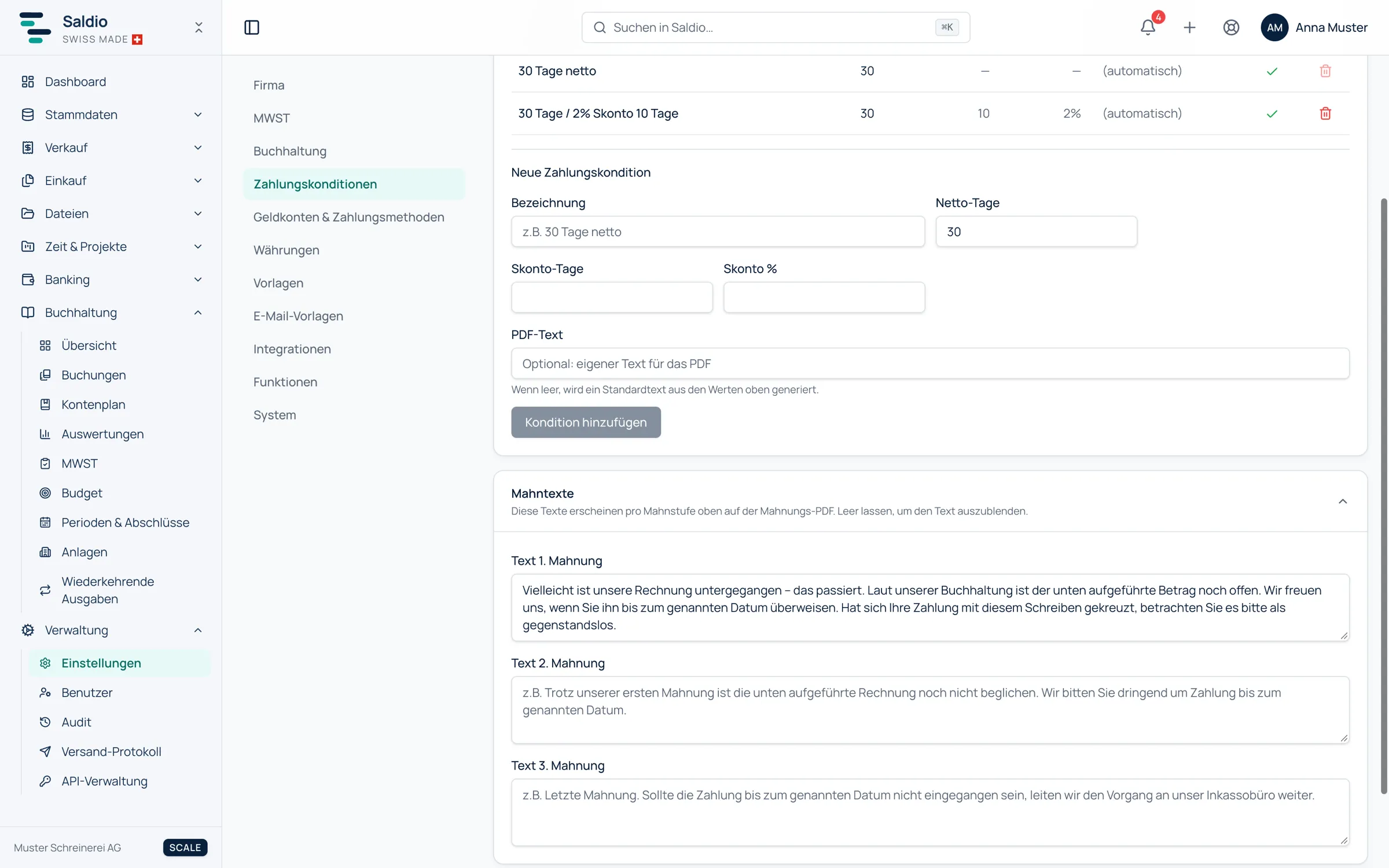
The text on the PDF. Under Settings → Payment terms you will find the Reminder texts, one per stage. The 1st reminder text appears at the top of the first-stage PDF. A suggestion:
Perhaps our invoice slipped through — it happens. According to our records, the amount below is still open. We would be glad if you could transfer it by the date stated. If your payment has crossed with this letter, please disregard it.
The fee. When the reminder is created, a new due date and a reminder fee are set. For a friendly reminder the fee is CHF 0.00. Incidentally, a fee at the second stage is not added on top but replaces the one from the previous stage.
The deadline. The new due date gives the customer a concrete deadline, shown in the PDF and on the QR payment slip — together with the open amount, not the original one.
The email subject
The default email template for reminders uses the subject “Reminder level 1 for invoice RE-…”. For the first stage that is factually correct, but not the tone you want with a customer who simply forgot an invoice.
The solution is a second template. Under Settings → Email templates, create a template for the document type Reminder named “Payment reminder”, for instance with this subject and text:
- Subject:
Payment reminder for invoice {invoice.number} - Message: a short text with
{reminder.dueDate}as the new deadline and no mention of a fee
There is exactly one default template per document type and language, and Saldio does not choose it by stage. You make the difference when sending: in the Dispatch center the template is chosen for the whole run. If you send the first-stage reminders in a run of their own, choose “Payment reminder” there, and the default template for stages two and three. Individual reminders can also be sent by email directly from the invoice, with a free choice of template.
How templates and placeholders work in detail is covered in the article on email templates.
What Saldio deliberately does not do
- No automatic reminders. Saldio sends nothing on its own, neither before nor after the due date. A reminder is only created when someone triggers it.
- No separate document type “payment reminder”. The reminder is the first dunning stage; that keeps the stage count unambiguous.
- No stage-dependent template selection. The default template applies per document type and language; the choice for the first stage is made when sending.
- No reminders for drafts. What was never sent cannot be overdue.
- No QR payment part except in CHF and EUR. That is set by the Swiss standard.
Conclusion
Most payment reminders can be avoided: with a clear deadline from the payment terms, a visible cash discount, a QR payment slip and a link through which the customer can find the invoice at any time. Saldio puts all of that on every invoice automatically.
For the rest there is the first dunning stage — with its own text, no fee and a subject that sounds like a reminder rather than a demand. Which invoices are still open at all, including those not yet due, is shown in the article on open items.
From order to balance.