

How Role and User Management Works in Saldio
Four roles, 16 module permissions, an audit log: how to invite users in Saldio, who may see what and why the fiduciary cannot change bookings later.

Contents
In many SMEs there is exactly one login for the accounting software. The owner knows it, the accountant knows it, and so does the apprentice who types in receipts on Mondays. In the end, nobody knows who booked what.
The second pattern is admin for everyone: everybody gets full access because setting up permissions is tedious. As a result, the temp in sales can also see wage costs and trigger bank payments.
Saldio counters this with a simple model: personal logins, four roles, permissions per module and a record of who changed what. This article shows how these pieces fit together.
Three layers decide what someone sees
Whether a feature is visible to a user depends on three independent layers in Saldio:
- Plan feature — is the feature included in the tenant’s plan? Without projects in the plan there is no project page, whatever rights someone has.
- Role — Owner, Administrator, Fiduciary or Standard user. It determines administrative powers.
- Module permission — per user and module, Off, Read or Write.
Roles and permissions always apply per tenant. Anyone working for several companies has a separate role in each — more on that in the article on multi-company management.
The four roles
Roles have a rank. Nobody can assign a role higher than their own, and nobody can manage a user of higher rank. Only Owners may appoint Owners.
| Owner | Administrator | Fiduciary | Standard user | |
|---|---|---|---|---|
| Business modules | always full access | always full access | per module permissions | per module permissions |
| Settings | edit | edit | view | view |
| Manage users | yes | yes, up to own rank | no | no |
| Audit log | yes | yes | no | no |
| View plan | yes | yes | no | no |
| Change plan, delete tenant | yes | no | no | no |
Owners and administrators are exempt from the module permission matrix: they always have full access to every business module. Fine-grained control applies only to standard users and fiduciaries.
Module permissions: 16 switches per user
Module permissions sit in user management under Permissions. The 16 modules are grouped by area — Master data, Sales, Purchasing, Banking, Accounting, Time & projects and Association. Each module has three levels: Off, Read, Write. Reports only know Off and Read.
So that nobody has to set 16 switches by hand, Apply template sets the defaults of the user’s role. Newly invited users automatically start with this template:
| Module | Standard user | Fiduciary |
|---|---|---|
| Contacts | Write | Write |
| Products & services | Write | Write |
| Employees | Read | Read |
| Invoices & quotes | Write | Write |
| Documents | Write | Write |
| Transactions | Write | Write |
| Bank & payments | Off | Write |
| Supplier invoices | Read | Write |
| Accounting | Off | Write |
| Edit bookings | Off | Off |
| VAT | Off | Write |
| Projects | Write | Write |
| Time tracking | Write | Write |
| Reports | Off | Read |
| Members | Write | Read |
| Events | Write | Off |
The template is a starting point, not a straitjacket. If the apprentice should only capture contacts and documents, set the rest to Off. If the project manager should only read invoices, set Invoices & quotes to Read. Every change ends up in the audit log.
Inviting a user
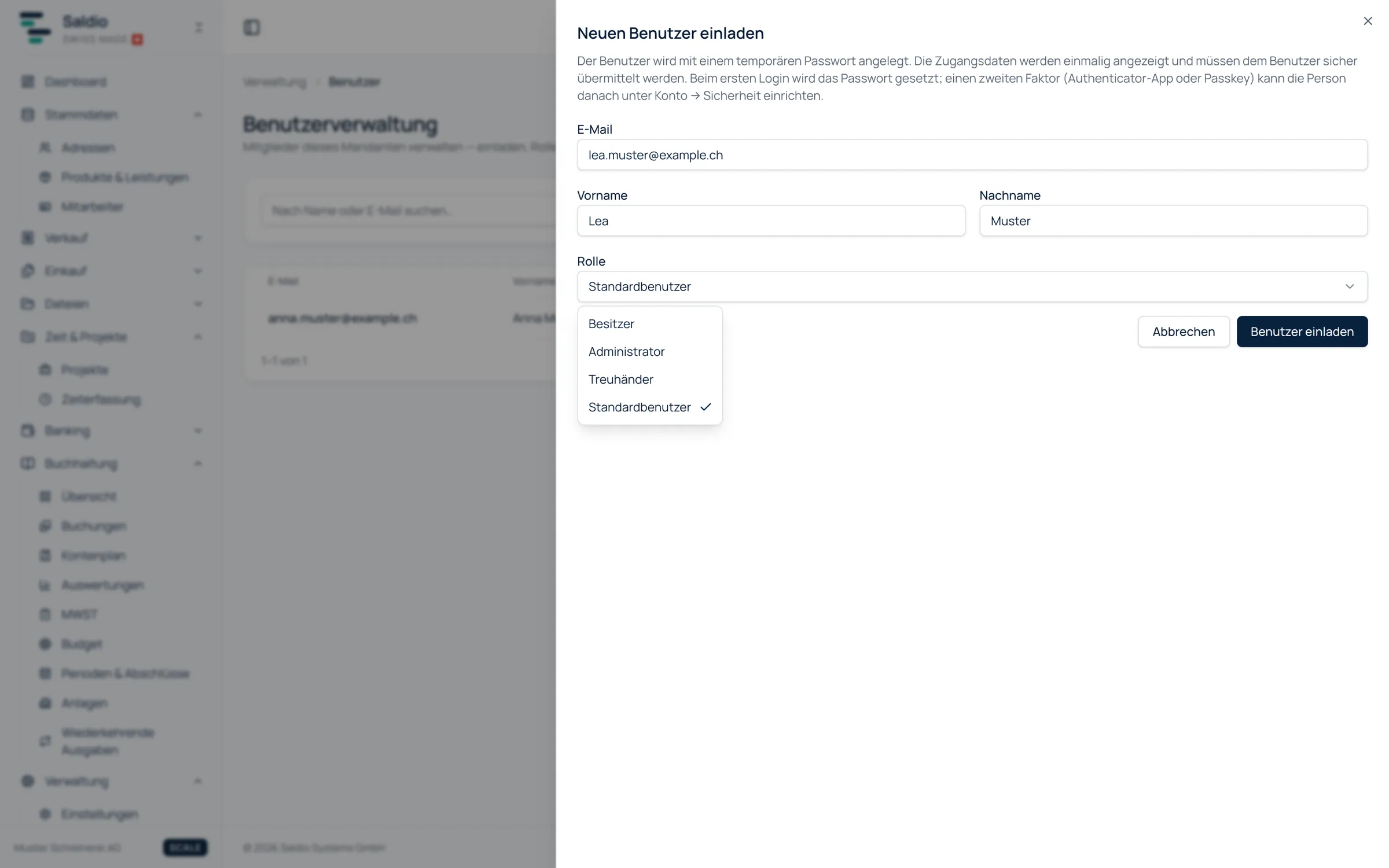
User management lives under Administration → Users and is visible from the Administrator role upwards. Via Invite user you enter email, first name, last name and role.
Saldio creates an account with a temporary password and shows the access credentials — username, temporary password and login URL — exactly once. An invitation email goes out in parallel. If it cannot be delivered, Saldio tells you to pass the password on manually. On first login, the person sets their own password.
If the invited email address already has a Saldio login — for example because the fiduciary already works for other clients — no new account is created. The membership is active immediately, and no temporary password is shown.
Each person sets up a second factor themselves under Account → Security: an authenticator app or a passkey. Both are recommended, not enforced.
Every user takes up a seat in the plan — including an invitation that has not been accepted yet. Starter and Solo include two users, Team three, Scale ten; additional users can be booked as an add-on. Fine-grained module permissions are included from Team upwards.
Status, deactivating and deleting
The list shows each user’s status: Invited, Active or Deactivated. The actions let you change the role, regenerate credentials, view the audit log, deactivate the user or delete them permanently.
When someone leaves the company, Deactivate is the right path. A deactivated user can no longer sign in but stays visible in the history and can be reactivated at any time.
Delete permanently cannot be undone and requires typing the email address to confirm. A reason can be recorded for every action; it then appears in the audit log.
The audit log
Under Administration → Audit, Saldio records in chronological order who did what and when: invitations, role changes, activations, deletions, email changes and permission changes. Critical business actions are included too, such as reversed payments, invoices closed with a difference, or confirmed and unlinked entries from bank reconciliation.
Each entry shows the time, the acting person, the affected user and the values before and after. View audit log in the user list narrows the log to a single person.
What Saldio deliberately does not do
- No custom roles. There are exactly four roles. Anything in between is handled by module permissions.
- No per-record permissions. A module permission applies to the whole module — anyone allowed to read projects sees all of the tenant’s projects, not just their own.
- No promotion above your own rank. An administrator cannot make anyone Owner and cannot manage an Owner.
- No enforced second factor. Saldio recommends it and reminds you on the dashboard, but locks nobody out.
- Hiding is not a permission. Hiding modules under Settings → Features only tidies the menu. Whether someone may see a module is decided by module permissions.
Conclusion
User management in Saldio is deliberately lean: personal logins instead of shared passwords, four roles with a clear rank, and 16 module permissions that a template sets in seconds. Anyone who needs more adjusts individual modules; anyone who needs less keeps the template.
What matters most in practice is the audit log. It answers the question a shared login never can: who did that?
How employees, billing rates and wage costs are protected is covered in the article on employee management.
From order to balance.