

How Bank Reconciliation Works in Saldio
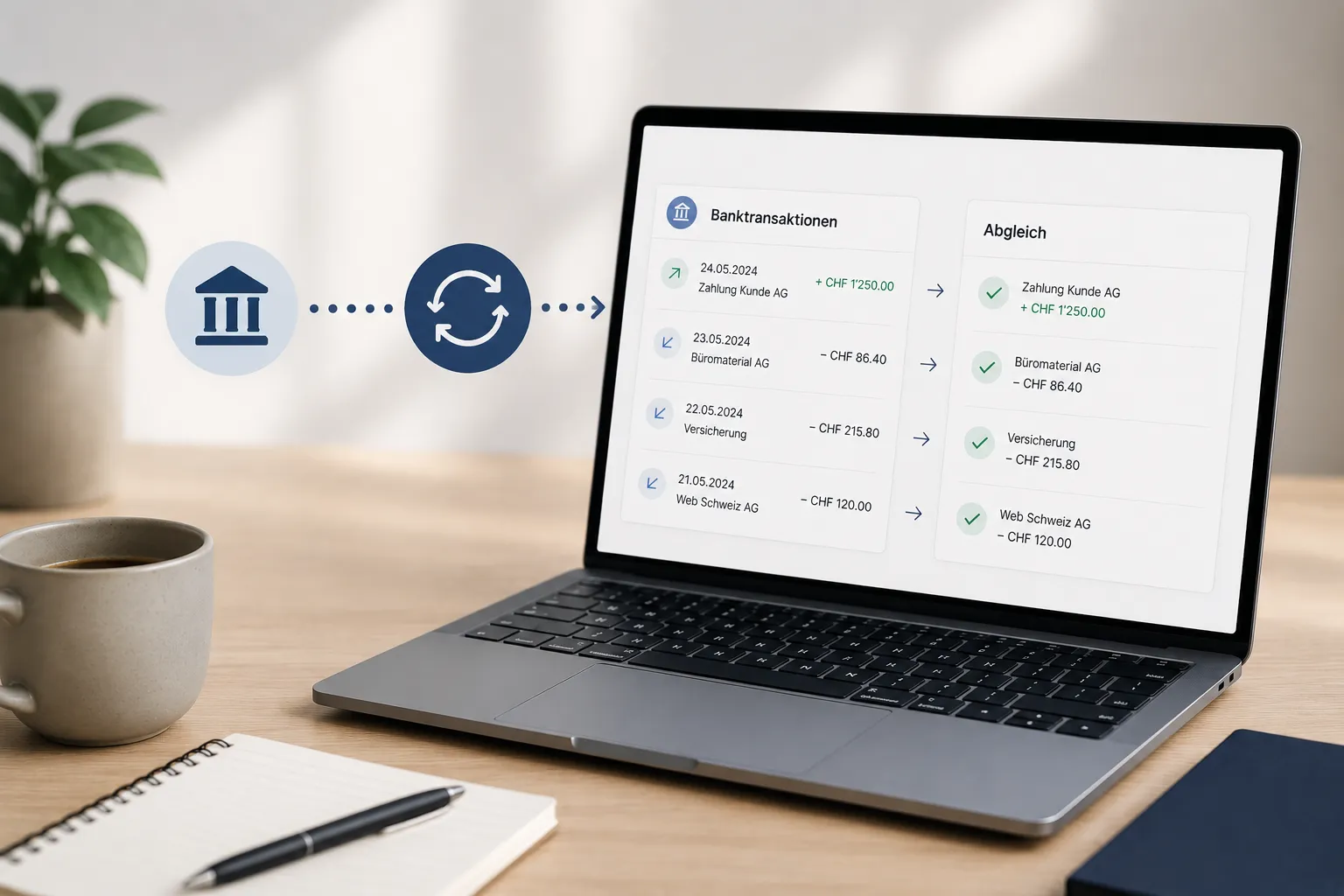
Bank reconciliation in Saldio: how payments are matched by reference, IBAN and amount, combined payments split and discounts or bank fees named.
Contents
The bank statement has forty lines. Twelve are customer payments, eight go to suppliers, and the rest are bank fees, the rent, a card settlement and two amounts nobody can explain at first glance.
The real work is not booking, it is matching: which payment belongs to which invoice? Why did the customer transfer CHF 64.80 less? And are the CHF 4,870.00 from the garage one invoice or three?
Bank reconciliation in Saldio answers exactly that question — bank line by bank line, with a suggestion and a reason for it. Whether the balance of the bank account is right at the end is a second question; it is covered in bank balance reconciliation.
Two pages, one work queue
Matching happens under Banking on two pages:
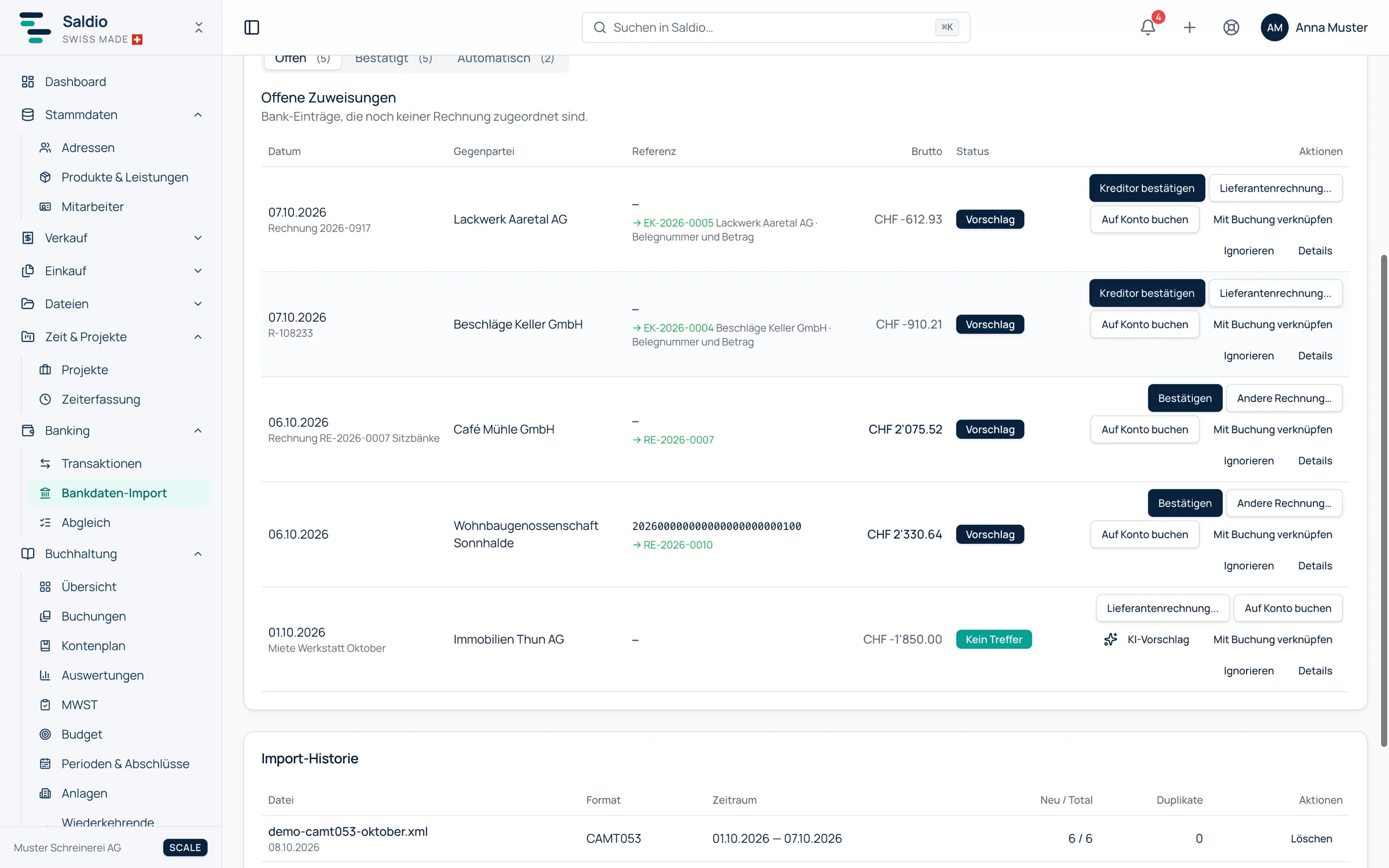
- Bank import — this is where you upload the bank file, and where the Pending assignments live: the bank lines not yet matched to a document. Further tabs list the confirmed and the automatically booked lines.
- Reconcile — a work queue for everything still open: bank lines with a suggestion, recognised but unbooked supplier documents, and drafts. Every row has a primary action, and Confirm all unambiguous handles the safe matches in one click.
How the file gets into the system in the first place — CAMT.053, CAMT.054 or CSV, which fields it carries and how Saldio finds the right money account — is covered in the article on CAMT import. This one is about what happens next.
How Saldio finds the matching document
For every bank line, Saldio looks for an open document: an invoice for incoming payments, a supplier invoice for outgoing ones. Every suggestion states its reason:
| Reason | Applies to | What matches |
|---|---|---|
| Reference and amount | incoming and outgoing | QR or RF reference and amount, exactly |
| Reference, amount differs | incoming and outgoing | reference exact, amount with a difference |
| IBAN and amount | outgoing | creditor IBAN from the document or master data |
| Name and amount | incoming and outgoing | name of the payer or counterparty |
| Invoice number and amount | incoming | invoice number and amount |
| Combined payment | outgoing | several open documents from the same supplier add up exactly to the bank amount |
The strongest signal is the payment reference. Invoices from Saldio carry a QR or RF reference on the QR payment slip; if the customer pays with the QR code, the same reference comes back on the bank statement. Why that is so reliable is explained in the article on QR bills.
If no rule finds anything, an AI suggestion is available on click: Saldio compares counterparty, amount and remittance information with the open documents and names a candidate with an assessment — confident, likely or uncertain. The AI never books on its own; its suggestion opens the same confirmation dialog as any other. Each call counts as one AI request against the plan’s monthly quota.
What gets booked automatically — and what does not
Some bank lines need no click at all. Saldio books them during the import when there is no room for judgement:
- The payment reference and the amount match exactly one open document — customer or supplier invoice.
- A bank rule with Book automatically applies.
Nothing is booked automatically as soon as any tolerance is involved, and never into a locked booking period — the line then stays open instead of blocking the import. Everything automatic is listed in the Automatic tab with its reason, either Reference + amount exact or the name of the rule. There it can be selected and reversed in bulk; the lines go back to the pending assignments.
Confirming with a preview
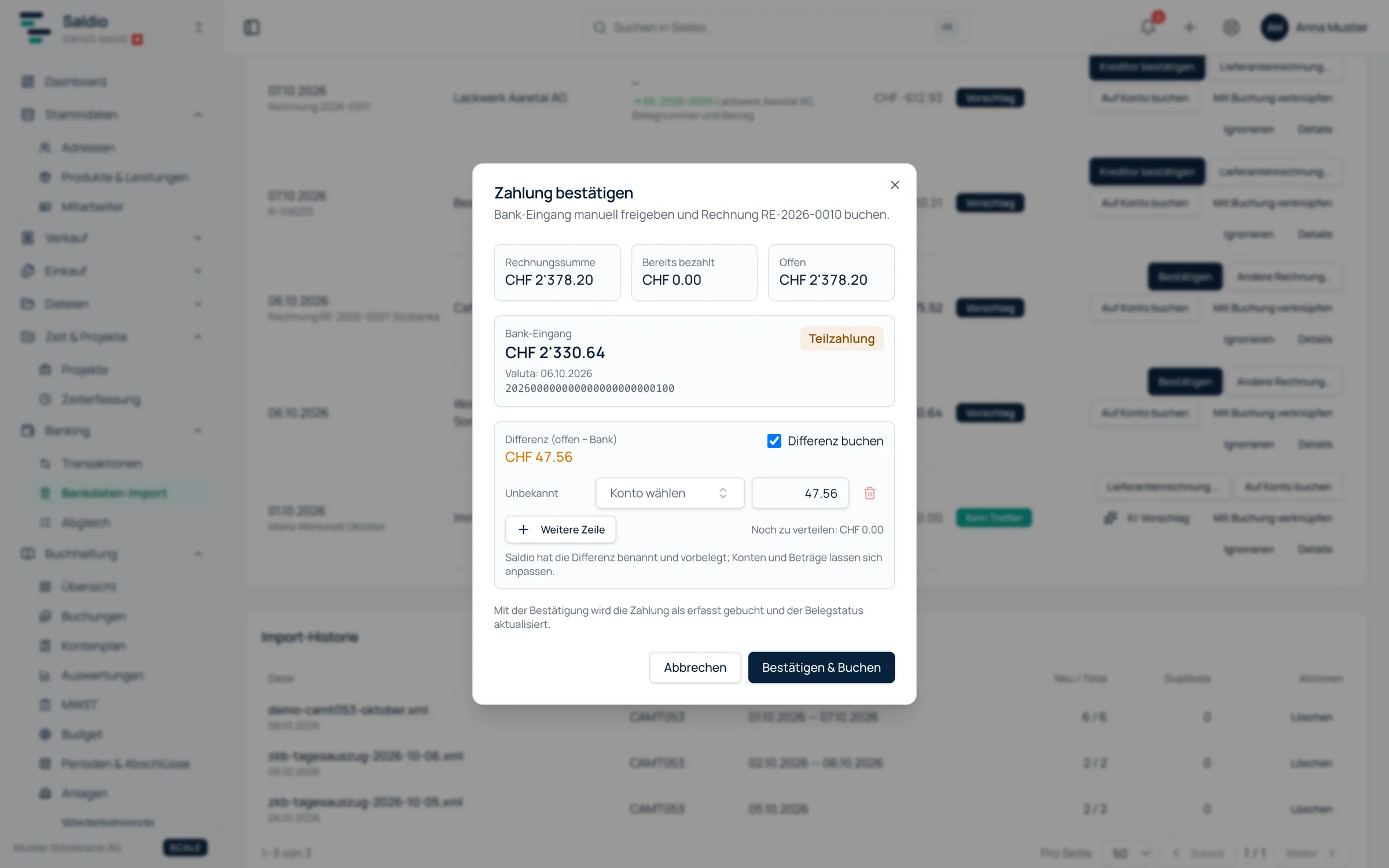
For every other line a person decides. The Confirm payment dialog shows side by side: invoice total, already paid, open, and the bank amount. Below that, Saldio predicts the result after booking — Fully paid, Partial payment with the remaining amount, or Overpaid.
It gets interesting when the bank amount and the open amount differ. Saldio names the difference instead of leaving it as a partial payment:
- Cash discount, if the document has payment terms with a discount period and percentage, and both fit
- Exchange difference for documents in a foreign currency
- Bank fees, if the bank flags the line as a fee
- Rounding for differences below five centimes
An example: invoice RE-2026-0117 for CHF 3,240.00, payment terms 2 % discount within 10 days. The customer pays CHF 3,175.20 on day seven.
| Field in the dialog | Amount |
|---|---|
| Invoice total | 3,240.00 |
| Already paid | 0.00 |
| Open | 3,240.00 |
| Bank amount | 3,175.20 |
| Difference (open − bank) | 64.80 → cash discount |
The confirmation comes prefilled with this split; accounts and amounts can be adjusted, and a difference can be spread over several lines. With Confirm & book the invoice counts as fully settled — not as partially paid with CHF 64.80 outstanding that pops up in dunning three months later.
Combined payments
A garage transfers CHF 4,870.00 for three invoices, or you pay a supplier two documents in one transfer. That is what Split across invoices is for.
The Record collective payment dialog offers an auto suggestion that you can accept with Adopt suggestion or adjust by hand. Further invoices are added with Add invoice, each with its own allocation; Allocated and Remaining update as you go. For outgoing payments Saldio also detects combined payments on its own when several open documents from the same supplier add up exactly to the bank amount, and shows them as Combined payment: 3 documents from ….
The invoice keeps showing that it was settled by a combined payment, and the bank transaction detail lists every linked invoice with its share.
Bank lines without a document
Not every bank line has an invoice. For the rest there are four options:
- Post to account — for bank fees, taxes or a card payment without a recorded document. You choose the contra account, VAT rate and posting text; Saldio calculates the tax out of the bank amount.
- Transfer to money account — when the line points to another of your own money accounts, such as the monthly company card debit or a payment provider’s payout. Money account to money account, no expense. For a payout, the provider’s fee can be entered right away.
- Link to existing entry — when the transaction is already in the general ledger. The bank line is ticked off without creating a second entry. Each entry can only be ticked off by one bank line.
- Ignore — the last resort for movements that have neither a document, nor an account, nor an entry.
What recurs regularly — rent, leasing, bank fees — is handled by bank rules. A rule checks counterparty, IBAN, remittance information, bank transaction code, amount range and direction, and then posts to an account, transfers or ignores. Rules only apply when no document fits the line: a payment is not an expense. If you book the same counterparty to the same account by hand a second time, Saldio asks Always book like this? and creates the rule if you want — either Suggest only or Book automatically.
Payments to or from the tax authority are matched to the right VAT period when the amount exactly equals the liability or refund of a settled period. More on that in the article on VAT processing.
Wrongly matched
A confirmed match is not set in stone, but it is not corrected in the journal either. The way leads through the Bank transaction detail view: it shows the linked invoices, the created or linked entry, and the audit trail. Book reversal asks for a reason and takes back all payments of this bank line, reverses a direct posting or removes a link. The documents return to their open status, the bank line is back to No match and can be matched again.
What Saldio deliberately does not do
- No automatic booking with tolerance. If the amount differs by even one centime, a person decides. A plausible but wrong match would cost more than a click.
- No AI booking. The AI suggestion opens the confirmation dialog, nothing more.
- No bookings into locked periods. Bank lines dated in a locked period stay open.
- No 1:1 francs for foreign currency. If there is no FOCBS rate for the value date, the line stays open with a notice instead of booking the amount as francs.
- No corrections in the journal. Entries from bank reconciliation are only taken back by reversing the bank transaction.
Conclusion
Bank reconciliation in Saldio is no longer a search game but a list of suggestions with reasons. What is unambiguous is booked by the import itself or with one click on Confirm all unambiguous. What has a difference gets a name. And what has no document reaches the ledger through an account, a transfer or a rule.
Because every confirmed payment lands directly on the document, the open items are up to date afterwards — and nobody chases a customer who paid long ago.
From order to balance.